Microsoft 365
Complete productivity and collaboration platform for modern organizations
Microsoft 365 Overview
Microsoft 365 is Microsoft's comprehensive productivity and collaboration platform that combines Office applications, cloud services, and enterprise-grade security. It's designed to help organizations work more efficiently and securely in today's digital workplace.
Key Benefits
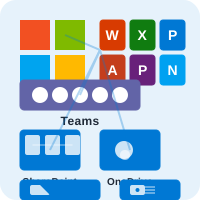
- Familiar Office Apps: Word, Excel, PowerPoint, Outlook, and more with cloud capabilities
- Team Collaboration: Microsoft Teams for chat, meetings, and file sharing
- Cloud Storage: OneDrive and SharePoint for secure file management
- Enterprise Security: Advanced threat protection and compliance features
- Device Management: Intune for mobile device and app management
Perfect For
- Organizations already using Microsoft technologies
- Educational institutions requiring comprehensive learning tools
- Enterprises needing advanced security and compliance
- Teams requiring robust collaboration capabilities
Microsoft 365 Business Plans
Choose the right plan for your business needs
Business Basic
Essential productivity tools for small businesses. Includes web and mobile versions of Office apps.
- Web and mobile Office apps
- 1TB OneDrive storage per user
- Microsoft Teams
- Email hosting with 50GB mailbox
Business Standard
Full desktop Office apps with cloud services. Ideal for growing businesses.
- Full desktop Office apps
- 1TB OneDrive storage per user
- Microsoft Teams
- Email hosting with 50GB mailbox
Business Premium
Advanced security and device management. Perfect for businesses requiring enhanced protection.
- Full desktop Office apps
- 1TB OneDrive storage per user
- Advanced security features
- Device management with Intune
Enterprise Plans
Enterprise-grade features for large organizations. Includes advanced security and compliance.
- All Office apps and services
- Unlimited OneDrive storage
- Advanced threat protection
- Enterprise compliance tools
Education Plans
Specialized plans designed for educational institutions
A1 (Free)
Free plan for qualifying educational institutions. Includes core Office apps and basic services.
- Free for qualifying institutions
- Web and mobile Office apps
- 1TB OneDrive storage per user
- Microsoft Teams
A3
Enhanced features for educational institutions. Includes full desktop apps and advanced security.
- Full desktop Office apps
- 1TB OneDrive storage per user
- Advanced security features
- Device management with Intune
A5
Premium features for enhanced teaching and learning. Includes advanced security and analytics.
- All Office apps and services
- Unlimited OneDrive storage
- Advanced threat protection
- Analytics and insights
Key Applications & Services
Comprehensive suite of productivity and collaboration tools
Office Applications
Word, Excel, PowerPoint, Outlook, Access, and Publisher for document creation and management.
- Word for document creation
- Excel for data analysis
- PowerPoint for presentations
- Outlook for email management
Microsoft Teams
Unified communication and collaboration platform for chat, meetings, calls, and file sharing.
- Team chat and channels
- Video meetings and calls
- File sharing and collaboration
- App integrations
OneDrive & SharePoint
Cloud storage and document management for secure file sharing and collaboration.
- Personal cloud storage
- Team site collaboration
- Version control
- Advanced permissions
Security & Compliance
Advanced security features and compliance tools for enterprise protection.
- Advanced threat protection
- Data loss prevention
- Compliance manager
- Information protection
Licensing Options
Flexible licensing to meet your organization's needs
Annual Commitment
Annual billing with significant discounts
- Up to 20% discount
- Predictable costs
- Simplified budgeting
- Priority support
Monthly Flexible
Monthly billing with no long-term commitment
- No long-term commitment
- Easy to scale up/down
- Pay as you go
- Quick setup
Education Discounts
Special pricing for educational institutions
- Academic verification
- Multi-year discounts
- Lab licensing options
- Education support
Frequently Asked Questions
Common questions about Microsoft 365 licensing and deployment
Microsoft 365 is the evolution of Office 365, combining Office applications with Windows 10/11, Enterprise Mobility + Security, and other Microsoft services. While Office 365 focused on productivity apps, Microsoft 365 provides a complete solution including security, device management, and collaboration tools.
Yes, with Microsoft 365 you can install Office applications on your devices and work offline. Your files will sync when you reconnect to the internet. The number of devices you can install on depends on your plan.
Microsoft Teams is included with most Microsoft 365 plans and integrates seamlessly with other Microsoft 365 services. You can share files from OneDrive and SharePoint, schedule meetings in Outlook, and collaborate on Office documents directly within Teams.
Microsoft 365 includes enterprise-grade security features such as multi-factor authentication, advanced threat protection, data loss prevention, and compliance tools. Higher-tier plans include additional security features like Microsoft Defender and Information Protection.
We provide comprehensive migration services from Google Workspace to Microsoft 365. Our team handles email migration, document conversion, user training, and ensures a smooth transition with minimal downtime.
Ready to Get Started with Microsoft 365?
Get expert guidance on choosing the right plan and implementing Microsoft 365 for your organization.